

When I need a light quickly, I do not want to search through a crowded toolbox of functions. I want one clear control that turns the phone into something useful immediately. That is the main appeal of Bright LED Flashlight: it focuses on the practical job of producing light, while also offering a digital compass for situations where knowing direction matters. I found that narrow purpose more valuable than a long list of decorative options.
This is a free Travel & Local app from Tools Dev, rated for Everyone. It is available for Android devices running version 7.0 or later, and the current release is 3.6.4. Its popularity is substantial, with more than five million installs and an average rating of 4.7 from roughly nineteen thousand ratings. Those figures do not replace personal testing, but they do suggest that the simple flashlight approach works for a large audience.
The app is best understood as a quick-access utility rather than a complete travel companion. I would use it to find a dropped key, check a dark stairwell, read a map at a campsite, or orient myself briefly when a trail marker is hard to identify. If you expect navigation, maps, route recording, or emergency communication, this is not the right category of tool. Its strength comes from doing less and making the central action easy to understand.
Why the focused flashlight matters
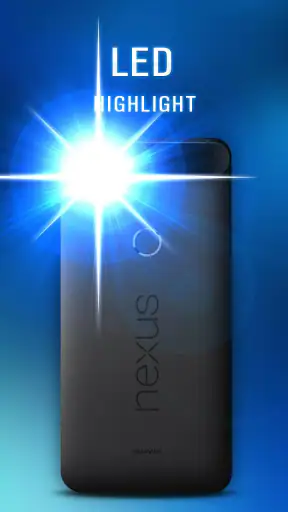
The capability that stood out to me is the combination of a bright LED light and low battery consumption. A flashlight app can sound almost too basic to review, but the difference between a dependable utility and an irritating one appears in small moments: how quickly the light starts, whether the screen is cluttered, and whether using it feels like a bigger commitment than the task itself.
In practice, I see the low-consumption design as a useful trade-off rather than a promise of unlimited use. A phone flashlight still relies on the phone’s hardware, and brightness, battery condition, screen activity, and the length of the session all affect the result. The sensible approach is to use the light for short searches and close-range tasks, then switch it off as soon as the job is finished. That habit matters more than expecting any flashlight app to solve a nearly empty battery.
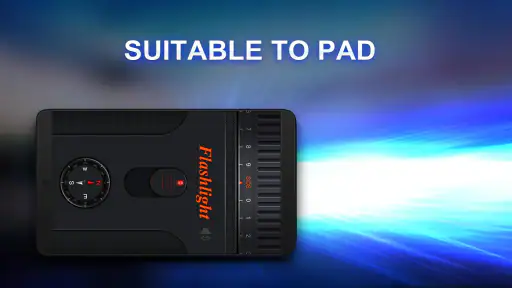
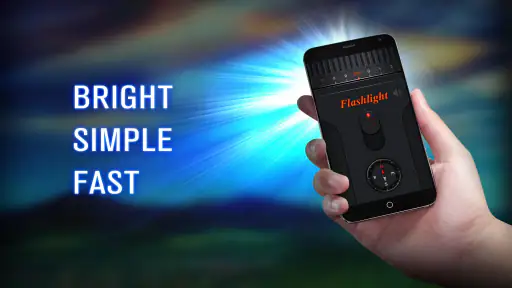
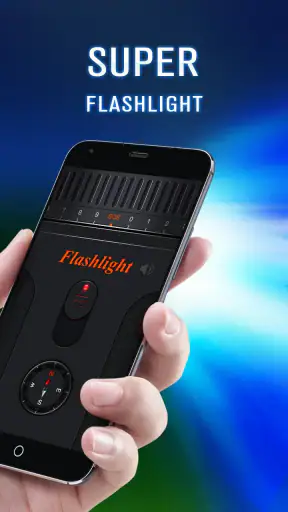
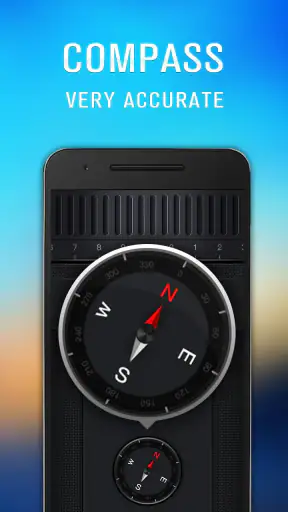
The built-in digital compass gives the app a second practical role. It does not turn the phone into a dedicated navigation device, but it can answer a quick question such as “Which way am I facing?” while the light is already open. I like that pairing for outdoor use because a dark environment and uncertain direction often arrive together. It is a small convenience, not a replacement for a proper compass when accuracy and reliability are critical.
The real benefit is reduced friction: one lightweight utility covers two immediate needs without asking me to open a full navigation service. That makes sense for people who want a dependable emergency light on their phone and occasionally need a basic directional reference.
What using it feels like day to day
My preferred workflow is simple. I open the app before walking into a dark area, activate the LED, keep the phone pointed where I need visibility, and close the tool when I am done. For a short task, that is all the interaction required. I do not have to prepare a route or configure a travel profile, which is exactly why it feels more suitable for spontaneous moments than a larger travel app.
The compass is most useful when I treat it as a quick orientation aid. For example, if I am outside after sunset and want to confirm the direction of a road before walking toward it, a digital heading can provide a helpful check. I would still compare it with visible landmarks and avoid relying on it near strong magnetic interference or in a situation where a wrong direction could create danger. A phone sensor is convenient, but convenience should not be confused with professional navigation equipment.
One useful habit is to check the compass before starting a walk rather than waiting until I am already disoriented. I can identify the general direction of the route, remember a landmark, and then use the light only when necessary. This reduces screen time and keeps the app in its proper role: a quick helper, not something I need to stare at continuously.
Another practical tip is to keep the phone’s camera area unobstructed while using the LED. A thick case, a finger, or a hand covering the light can reduce the illumination reaching the path. That is not a flaw unique to this app; it is a limitation of using a phone as a torch. Still, it is easy to blame the software when the physical position of the handset is the real issue.
A realistic evening use case
Imagine arriving home after dark and realizing that a small item has fallen beside the entrance. I would open Bright LED Flashlight, aim the phone toward the ground, and search without turning on every light in the building. If I then need to face the correct direction toward a nearby street or parking area, I can use the compass as a quick reference before putting the phone away. The app is useful here because both functions serve the same short, immediate situation.
A similar scenario works at a campsite. I might use the LED to locate a zipper, inspect the ground around a tent, or find a water bottle without waking everyone with a large room light. The compass can help me identify the broad direction of a trail in the morning. I would not use it as my only safety tool on an unfamiliar route, but it is a sensible backup when combined with a map, landmarks, and common sense.
For travel, the app can also help in less dramatic ways. A hotel room may have a badly placed switch, a rental car may be parked in an unlit area, or a suitcase may need checking under a bed. These are precisely the moments when a specialized travel app is unnecessary. A focused flashlight opens faster in my mind because I already know what it is for.
Where the simple design helps
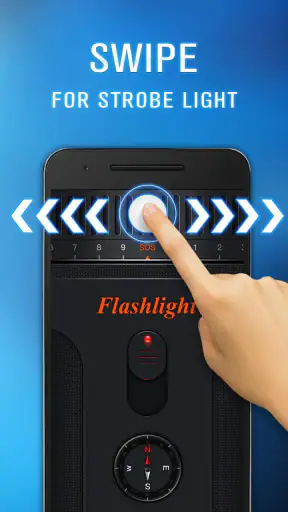
The narrow feature set is a strength for users who dislike overloaded utilities. I do not need to learn a complicated interface before using the light, and the app’s purpose is clear from the moment I launch it. That is especially helpful for family members who want a basic flashlight without exploring settings or learning a new system.
The Everyone age rating also fits the straightforward nature of the tool. I would consider it suitable for a shared household device, provided younger users understand that the LED should not be pointed into someone’s eyes. The app itself may be simple, but safe handling still matters: bright light can be uncomfortable, and a phone can become warm during extended use.
Because it is free, the decision to try it is easy. There is no purchase barrier for someone who only needs a flashlight occasionally. At the same time, free does not automatically mean perfect. I still judge it by whether it starts when needed, whether the interface remains understandable, and whether it avoids turning a tiny task into a long interaction.
Trade-offs compared with built-in tools
Many Android phones already include a flashlight control in quick settings. If that control is easy for you to reach, it may be faster than opening a separate app. I would choose the built-in switch for a one-second light request, especially when the phone is locked and the shortcut is available. Bright LED Flashlight becomes more interesting when I want the flashlight and compass together in one dedicated place.
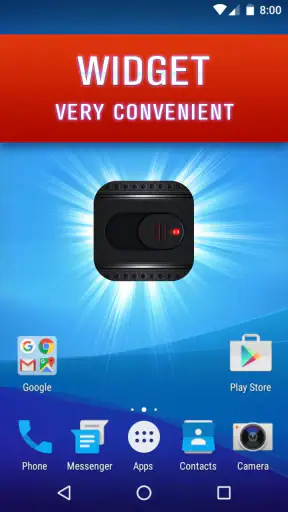
The trade-off is that a separate app adds another icon and another launch step. That matters during an urgent moment. I recommend placing it somewhere easy to find rather than burying it in a crowded app drawer. A home-screen shortcut can make the difference between a genuinely convenient utility and one I forget exists.
A full navigation app is better when I need turn-by-turn guidance, saved locations, traffic information, or a route through unfamiliar streets. A dedicated outdoor compass is better when I need dependable directional work over a longer period. Bright LED Flashlight sits between those choices: more focused than a navigation suite, but more useful than a light-only shortcut when a basic compass check is helpful.
I also would not install it solely because the store summary mentions battery efficiency and assume it can replace a power bank. A flashlight uses the phone’s LED, and long sessions can still consume meaningful energy. My practical rule is to charge before a trip, use the light in short bursts, and keep a separate backup light for overnight outdoor activities or emergencies where phone battery must be preserved.
Small details that improve the experience
First, I treat the compass as a confirmation tool rather than an authority. Before trusting a heading, I would hold the phone steadily, move away from obvious metal objects, and compare the result with the environment. If the reading seems unstable, I would not build a route decision around it. This is a more realistic way to use a phone compass than expecting it to behave like a survey instrument.
Second, I use the light at the lowest practical intensity of activity: point it only at the area I need to inspect, rather than waving the phone around continuously. That keeps the session shorter and makes the low-consumption design more meaningful. It also avoids disturbing people nearby, which is useful in shared rooms, campsites, and apartment corridors.
Third, I separate “finding something nearby” from “lighting a path.” For a dropped coin, a keyhole, or a bag zipper, the phone can be held close and angled precisely. For walking, I keep the beam aimed several steps ahead and move slowly. The app supplies illumination, but it cannot remove obstacles or compensate for poor footing. Thinking about the task first makes the same tool safer and more effective.
Finally, I would test the app before depending on it during a trip. Open it at home, confirm that the light behaves as expected on the device, and check that the compass gives a sensible general direction. This takes little time and prevents discovering an unfamiliar interface when standing outside in the dark. It is a good practice for any utility that may become part of an emergency routine.
Who should install it?
I think the strongest audience is someone who wants a dedicated, uncomplicated flashlight with a basic compass nearby. It suits occasional travelers, campers who already carry proper equipment, students walking between buildings after sunset, and households that want a simple light utility on an older Android phone. The minimum operating system of Android 7.0 or later keeps it accessible to many devices that are no longer running the newest software.
It is also a reasonable choice for people who find a phone’s built-in flashlight shortcut inconvenient or who prefer opening an app with a clearly defined purpose. The developer, Tools Dev, has kept the concept focused enough that I can recommend it to a friend who does not want a multi-purpose toolkit.
I would skip it if the built-in flashlight already meets every need and I never use a compass. I would also skip it as a primary safety device for serious hiking, navigation, or extended power outages. In those cases, a physical torch with spare batteries, a dedicated compass, and a proper navigation plan offer better resilience. The app is a convenient layer of help, not a substitute for preparation.
My final take after using the utility
Bright LED Flashlight succeeds because it understands that a flashlight app should not make a tiny task feel complicated. Its central capability is immediate illumination, and the digital compass adds a useful second step for quick orientation. I appreciate the low-battery focus, while still keeping realistic expectations about phone hardware and session length.
The app’s free price, Everyone rating, broad Android compatibility, and strong reception make it easy to recommend for casual use. The five-million-plus install base and 4.7 average show that it has found a clear audience, though my recommendation is based on how well the focused design fits everyday situations rather than popularity alone.
For me, the deciding question is whether you want more than the standard flashlight shortcut but less than a full travel suite. If the answer is yes, this is a practical middle ground. It is quick enough for a dark doorway, helpful enough for a basic direction check, and simple enough to hand to another person. Just remember its limits: keep a real backup for serious outdoor use, do not trust a phone compass blindly, and preserve battery when the light is needed for longer. Used that way, it is a modest but genuinely useful travel utility.


